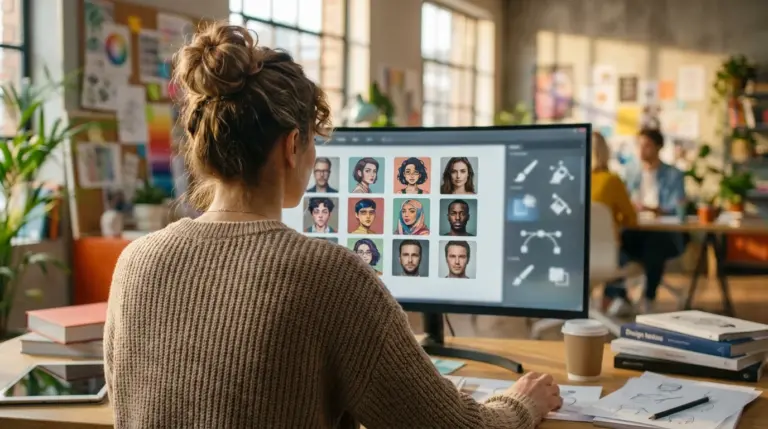
Let’s be honest, if you need a new professional headshot for LinkedIn, photoshoots are both expensive and a hassle. An AI headshot generator is a seriously practical alternative. Instead of using that cropped vacation selfie, you can use solutions like MyEdit or Fotor to create studio-level portraits from a simple photo. These platforms offer a ton of styles and backgrounds, letting you produce polished, high-quality images in minutes without needing a big budget or any technical skills.
What Is an AI Headshot Generator?
So, what are these things anyway? An AI headshot generator is an online tool that uses artificial intelligence to turn your casual selfies into professional-looking portraits. You just upload one or more photos of yourself, and the AI gets to work analyzing your facial features. It then creates brand-new images of you in different outfits and settings, mimicking a professional photoshoot. The whole process is automated and usually takes just a few minutes, giving you dozens of options to pick from.
Top Free AI Headshot Generators Compared
Choosing the right tool really depends on what you need—whether it’s speed, customization, or something else. While plenty of services exist, only a few offer a free plan that’s genuinely useful and delivers quality results without a watermark. Here’s a quick comparison of the best options I’ve found.
| Tool | Best For | Free Plan Details | Key Feature |
|---|---|---|---|
| MyEdit | Overall quality and customization | 3 free credits daily | Generates high-quality results from a single photo |
| Fotor | Budget-conscious users | Free credits upon signup | Integrated with a full suite of photo editing tools |
| YouCam | Creative text-based generation | 5 free credits upon signup | Text-to-image and image-to-image capabilities |
| Canva | Brand consistency and presentations | Free credits with Pro trial | Integration with Canva’s design ecosystem |
| PFPmaker | Quick social media avatars | Free to generate, pay to download HD | Produces hundreds of casual options in seconds |
A Closer Look at the Best Free Generators
Each platform has a unique way of creating your next profile picture. Some are all about realism, while others prioritize speed or creative freedom. Let’s break down the strengths and weaknesses of the top contenders.
1. MyEdit: Best for Quality and Speed
In my experience, MyEdit stands out because it can produce exceptionally realistic headshots from just one uploaded photo. Its free plan is pretty generous, offering three daily credits, which is enough to generate a new batch of images every day. On top of that, the user interface is straightforward, making it accessible even if you’re not tech-savvy.
- Pros: Excellent image quality, requires only one photo, provides daily free credits.
- Cons: Some advanced styles are locked behind a premium subscription.
Imagine you need a headshot *today*. You can upload a clear selfie, select up to eight styles (like ‘suit’ or ‘business casual’), and receive around 20 unique portraits in about 10 minutes. The results consistently keep your likeness while dramatically improving the lighting and context.
2. Fotor: Best All-in-One Editor
Fotor is a well-known photo editor that also includes a capable AI headshot generator. It’s a great choice if you want to create a headshot and then immediately make more edits on the same platform. This tool does require 4 to 10 selfies to train the AI, but this helps it generate more accurate portraits.
- Pros: Part of a comprehensive photo editing suite, affordable premium plans.
- Cons: Results can sometimes look slightly generic compared to specialized tools.
While its free offering is more limited than MyEdit’s, it provides enough credits to test the service. It’s a solid pick for freelancers who need a good-quality headshot without committing to a dedicated, paid service.
3. YouCam Online Editor: Best for Creative Control
YouCam offers a unique feature: text-to-image generation. This means you can actually describe the headshot you want, and the AI will try to create it from scratch. For more personalized results, though, you can use its image-to-image function by uploading a selfie. It offers over 70 styles, from professional looks to artistic avatars.
- Pros: Versatile text-to-image and image-to-image options, wide variety of styles.
- Cons: Free credits are limited, and refining text prompts takes some practice.
This platform is perfect for social media managers or content creators who want a headshot that reflects a specific creative style or brand identity.
4. Canva: Best for Integrated Branding
If you’re already a Canva user, this is a no-brainer. Canva has integrated an AI headshot generator directly into its design platform, which is ideal for people who rely on it for presentations, resumes, or social media graphics. You can generate a headshot and immediately drop it into a design template. This feature makes it one of the best presentation software additions for professionals needing on-brand visuals.
- Pros: Integrates directly with the Canva workflow, great for brand consistency.
- Cons: Requires a Canva Pro account for full access, results can feel more template-based.
The focus here is less on pure photorealism and more on creating a clean, polished image that fits into a larger brand identity.
5. PFPmaker AI: Best for Instant Avatars
PFPmaker is all about speed. Seriously fast. You upload a single photo, and it instantly generates hundreds of profile picture options with different backgrounds and simple effects. It’s less of a ‘professional headshot’ generator and more of a ‘profile picture’ maker. The results are fun and casual, making them perfect for platforms like Discord or internal team chats.
- Pros: Extremely fast, generates a huge number of options from one photo.
- Cons: Lacks the realism of other tools, facial accuracy can be inconsistent.
While you can generate images for free, downloading them in high definition requires payment. Still, it’s a great resource for quickly creating a variety of casual avatars.
When to Consider a Paid AI Headshot Generator
Paid tools like Aragon, HeadShotPro, and Dreamwave serve a different market. They require a fee but promise superior realism and features tailored for business use. These services typically ask you to upload more photos (often 12-20) to train the AI more thoroughly. The main reason to go paid is for team-wide consistency. For example, picture a remote company’s ‘About Us’ page. HeadShotPro is designed to give every employee a headshot with a similar style and background, creating a uniform look. For just one person, though, a free tool is usually more than enough.
How to Get the Best Results from Your Generator
Look, the quality you get out is directly tied to the quality you put in. It’s that simple. Follow these guidelines to make sure your AI-generated headshots look as professional as possible.
- Use High-Quality Selfies: Upload clear, well-lit photos. Your face shouldn’t be covered by shadows, sunglasses, or hats. A simple picture taken facing a window during the day works great.
- Provide Variety: If the tool lets you upload multiple images, give it photos with different facial expressions and from slightly different angles. This gives the AI more data to learn from.
- Check Your Background: Use photos with a simple, uncluttered background. This helps the AI focus on your face without getting distracted by other objects.
- Post-Generation Edits: Once you have your headshot, you might want to make small tweaks. For instance, you can use a free online tool if you need to make an image background transparent for use in other designs.
So, what’s the takeaway? Creating a professional headshot doesn’t have to be a major investment of time or money anymore. With free AI generators, you can produce high-quality, business-ready images in minutes from your own home. My advice is to just try a free option like MyEdit to see the quality you can get. Upload your best selfie and see what it comes up with—it’s a simple way to upgrade your professional profile today.
FAQ
Can AI headshots look truly realistic?
Absolutely. The top-tier generators can create photorealistic results that are often hard to tell from real photos. The final quality really depends on the platform you use and the clarity of the selfies you upload.
How many photos do I need to upload to an AI generator?
It depends on the tool. Some advanced options like MyEdit can work wonders with just a single photo, while others like Fotor might ask for 4 to 20 images to get a better lock on your features.
Is it safe to use AI-generated headshots on LinkedIn?
Yes, it’s completely fine and becoming very common. As long as the headshot is a clear and accurate representation of you, it serves its purpose perfectly on professional platforms like LinkedIn.
What is the best image format for my new headshot?
For web use like a profile picture, stick with JPEG. It’s the best balance of quality and file size. But, if your headshot needs a transparent background for use in other designs, you’ll have to save it as a PNG file to preserve that transparency.