Want your Instagram to shine? You need a cohesive visual aesthetic, consistently high-quality posts, and a fully optimized bio. That means a defined color palette, uniform filters, and a profile that clearly shouts your value and mission. Simple, right?
You’ve seen them, haven’t you? Those Instagram profiles that just look polished. The colors flow, the photos are crisp, and the bio immediately tells you you’re in the right place. Then you glance at your own feed, and it feels a bit random. I’ll be honest, it’s a common frustration. You know your work or product is top-notch, but your Instagram doesn’t always communicate that same level of excellence. It can cost you followers and clients who judge your brand’s credibility in those crucial first few seconds.
What defines a professional Instagram presence?
What makes an Instagram presence truly stand out? It boils down to three core pillars: consistency, excellence, and clarity. It isn’t about chasing follower counts or that elusive blue checkmark. Instead, it’s about showcasing a unified brand identity, which in turn builds trust and signals expertise. Think of your profile as a digital storefront; a quick glance should instantly tell a potential follower who you are, what you offer, and why they should even bother.
Consistency means your updates look and feel like they belong together. This applies to your visual style, your brand’s voice in captions, and your posting rhythm. Excellence, meanwhile, covers the technical aspects of your material—sharp, well-lit photos and videos, clean graphics, and text free of errors. Clarity? That’s all about your message. Your bio, your content themes, and your calls to action must all align to communicate your unique value proposition without any confusion. A truly polished account leaves no room for guesswork.
From my experience helping clients overhaul their accounts, the biggest shift happens when they stop treating Instagram as a random photo album and start treating it as an extension of their brand. I once worked with a small business owner who sold handmade ceramics. Her feed was a mix of product shots, pictures of her dog, and random sunsets. After we defined her brand’s pillars—the craft, the inspiration, and the lifestyle—her account transformed into a compelling story that attracted serious buyers, not just casual scrollers. It worked wonders.
How do you create a cohesive and appealing Instagram aesthetic?
Crafting a truly harmonious Instagram aesthetic means making deliberate choices about your visuals so they ly work as one. It all kicks off with a defined color palette—usually 3-5 complementary hues that pop up in most of your updates. You don’t need to be a design guru for this, either; handy resources like Coolors can whip up palettes for you. Once those colors are locked in, spread them across your graphics, text overlays, and even the props or backgrounds in your pictures.
Then, pick a uniform editing style. This is, in my opinion, one of the most effective ways to forge a unified appearance. Whether you rely on presets in an app like Lightroom or stick to a specific set of filters right within Instagram, applying the same tweaks to every visual creates a powerful sense of unity. The aim? For someone to spot one of your posts in their feed and instantly know it’s yours, even before they see your username. I’ve learned the hard way that hopping between trendy filters only creates a chaotic, amateurish vibe. Stick to one or two that truly resonate with your brand’s mood. By the way, our post on how to design a cohesive Instagram theme offers a step-by-step breakdown if you need more guidance.
Besides that, map out your grid layout. Honestly, view your Instagram grid as a single, sprawling composition, not just a random collection of individual posts. Utilize a planning app such as Planoly or Later to visualize how your next 9-12 items will appear together. This helps you balance various types of material—like quotes, images, and videos—to forge an appealing visual pattern. Perhaps you’ll alternate between close-up shots and wider scenes, or maybe create a checkerboard effect with light and dark visuals. This intentionality is what truly sets a polished, high-level feed apart from an amateur one. It makes all the difference.

What are the best content strategies for professional engagement?
Engaging Instagram strategies move past just pretty pictures; they focus on delivering real value and cultivating a community. The smartest move? Establish content themes—three to five core subjects you’ll consistently discuss. For a fitness coach, for instance, these could be workout tutorials, nutrition advice, client success stories, and motivational quotes. These themes ensure your material remains on-brand, plus they give your audience a solid reason to stick around. Ultimately, your posts should aim to educate, entertain, or inspire.
Your captions, by the way, are just as crucial as your visuals. A well-crafted caption adds context, spins a story, and genuinely encourages interaction. So, instead of generic phrases, why not ask specific questions to spark lively conversation? Always include a clear call to action (CTA), telling your audience exactly what to do next—whether that’s visiting your website, saving the post, or sharing their own experience in the comments. I’ve personally discovered that writing captions authentic to my voice, and that directly address a reader’s pain point, generates far more meaningful engagement than merely describing a picture.
Picture this mini case study: A freelance web developer I know had an incredible portfolio, yet her Instagram was a ghost town. Her updates were simply screenshots of websites with captions like “New project live.” We completely revamped her approach to center on three main themes: showcasing her design process (behind-the-scenes), sharing quick coding tips (education), and breaking down complex web concepts for non-tech clients (value). She started creating simple carousel posts for the tips and Reels demonstrating her workflow. Within two months, her engagement tripled, and she landed two new clients who explicitly said they hired her because her posts made them feel she truly understood their needs. That’s impact.
How do you optimize your Instagram bio and profile picture?
Your Instagram profile is essentially your digital business card, and fine-tuning it is absolutely vital for making a stellar first impression. Your profile picture, for starters, needs to be a clear, high-resolution visual. If you’re a personal brand, a well-lit headshot against a simple background usually hits the mark. For businesses, a clean, legible logo is the norm. Since that picture appears as a circle, double-check nothing crucial gets cropped out. Good news: you can use a free circle crop solution to preview and perfect your visual before uploading it. Handy, right?
Your bio, then again, must quickly convey four key pieces of information: who you are, what you do, who you help, and what action they should take next. Use the name field to inject keywords relevant to your industry (e.g., “Jane Doe | Brand Photographer”), because this field is searchable. In the bio section itself, opt for clear, concise language—ditch the vague jargon. Bullet points or emojis can really help break up the text and make it scannable. Seriously, think of it as your elevator pitch.
The final element to enhance is your call to action, typically the link in your bio. Don’t just drop your homepage URL and cross your fingers. Instead, leverage a platform like Linktree or Carrd to craft a simple landing page that guides visitors to your most important assets—your services page, portfolio, latest blog post, or a free download. Your bio should explicitly prompt people to click that link. For example: “👇 Download my free guide to branding below.” This active direction, in my experience, makes a huge difference in conversion rates.

What tools and resources can elevate your Instagram’s professional look?
A handful of smart solutions can dramatically boost the caliber of your Instagram material without demanding a huge budget or advanced technical skills. For visual creation, Canva is a fantastic resource for non-designers. It provides thousands of expert templates for posts, Stories, and Reels, all customizable with your brand’s colors and fonts. This ensures visual uniformity across all your updates. For those needing more advanced features, Adobe Express or even Photoshop are robust alternatives, though they do come with a steeper learning curve. Deciding between Canva vs Photoshop often boils down to your specific needs for speed and complexity, but either way, you’ve got options.
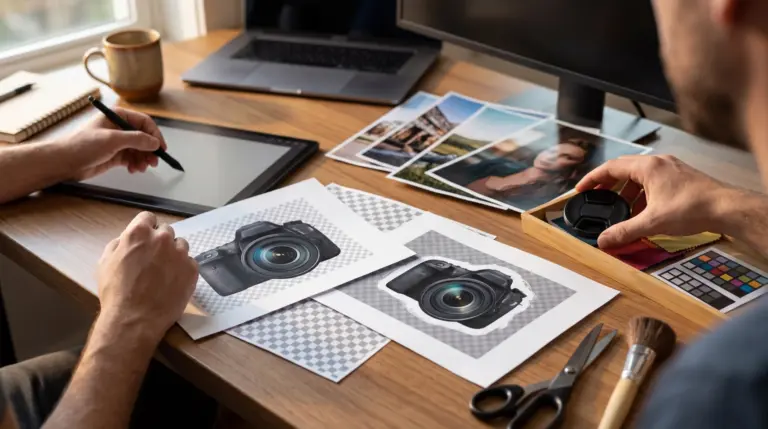
Top-notch photography? Non-negotiable. While your modern smartphone camera is often perfectly sufficient, the real secret lies in good lighting. Natural light is always ideal, but a simple ring light can seriously elevate your indoor shots. For product visuals, creating a clean, non-distracting backdrop is paramount. If you don’t have a dedicated space, a straightforward online background remover can help you isolate your product and place it on a solid-colored background for that polished, e-commerce-ready appearance. It’s a .
On top of content creation, scheduling applications like Later, Buffer, or Planoly are absolutely vital for maintaining regularity. They empower you to plan your content calendar, draft captions well in advance, and automatically publish posts at optimal times. I personally lean on Later because its visual grid planner is superb for ensuring my feed’s aesthetic stays harmonious. Employing these platforms frees you from the constant pressure of real-time posting, plus it helps you implement a more thoughtful, high-level content strategy. What a relief!
Transforming your Instagram into a truly valuable asset isn’t about chasing perfection; it’s purely about intention. By honing in on a harmonious aesthetic, a value-driven content plan, and a fully refined profile, you’ll forge a powerful first impression that builds trust and draws in the right audience. So, what’s your immediate next step? Take five minutes to audit your own Instagram bio. Does it clearly state who you are, what you do, and what action a visitor should take? Fixing that one small piece, I promise you, is the first stride toward a more polished online presence. Go for it.
FAQ
How often should I post to keep my Instagram looking sharp?
Consistency matters more than sheer frequency. Aim for 3-5 high-caliber posts weekly, rather than churning out low-quality material daily. A steady schedule signals reliability to your audience and the algorithm, after all.
Can I still look expert-level without showing my face?
Absolutely. Plenty of top-tier accounts flourish without a personal face. You can focus on high-caliber product photography, user-generated material, graphic design, or aesthetic stock visuals that align perfectly with your brand’s message and values.
What’s the biggest blunder folks make trying to appear polished on Instagram?
The most common blunder? It’s inconsistency, hands down. This means using different filters on every picture, lacking a clear color palette, and sharing random, off-brand subjects. Such a lack of uniformity just makes a feed look chaotic and untrustworthy.
Do I need a fancy camera for top-notch pictures?
Nope, not at all. Modern smartphone cameras are incredibly powerful, you know. The secret to professional-looking visuals lies in mastering lighting, composition, and uniform editing, not expensive gear.
Crop and resize images for free