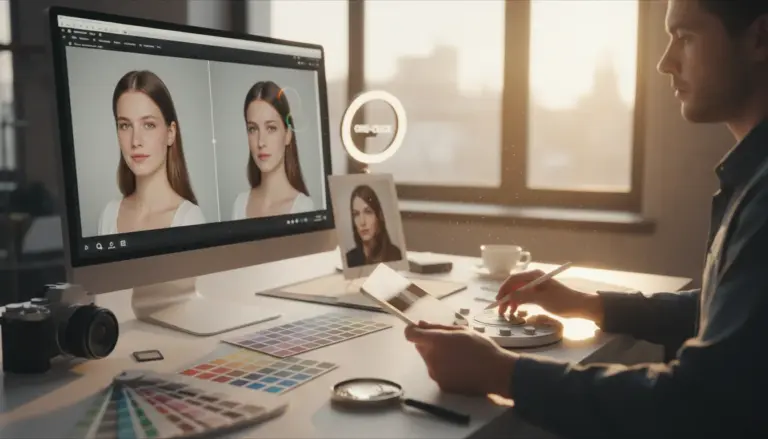
An AI headshot generator creates professional-looking portraits using artificial intelligence, transforming your casual photos into polished, studio-quality images. These tools analyze your uploaded pictures, then apply various styles, lighting, and backgrounds to produce diverse headshot options. The main benefit is saving time and money compared to a traditional photoshoot, making professional visuals accessible for your online presence.
You might find yourself needing a new professional image for a job or to refresh your online profiles, but your current headshot is a blurry selfie from years ago. If you lack the time or budget for a professional photographer, yet know a polished image makes a huge difference, an AI headshot generator addresses this need. It takes your existing photos and, using advanced algorithms, crafts a range of professional portraits, ready for LinkedIn, your company website, or even dating apps.
What is an AI Headshot Generator and How Does it Work?
An AI headshot generator is a specialized software that uses artificial intelligence, primarily Generative Adversarial Networks (GANs), to create new images based on a set of input photos. These tools analyze your facial features, expressions, and overall appearance from the images you provide. They learn your unique characteristics, then generate new headshots in various styles, outfits, and settings that look remarkably realistic.
The process typically starts when you upload several photos of yourself. The AI then processes these images, identifying key data points. After this analysis, it uses its generative capabilities to produce a series of unique headshots. You’ll often see options for different backdrops, clothing changes, and even varying lighting conditions, all without stepping foot in a studio. This technology is a prime example of how machine learning principles are applied to creative tasks, offering a new way to get professional visuals.
Top AI Headshot Generators Available Right Now
The market for AI headshot tools has expanded rapidly, offering diverse options for different needs and budgets. While many free AI image generators exist, most high-quality AI portrait maker tools require a one-time fee or a subscription. I’ve tested dozens of these, and results often depend on the quality of your input photos and your desired style. Here’s a quick overview of what you might find:
| Tool Feature | AI Headshot Pro (Example) | PortraitGenius (Example) | StudioAI (Example) |
|---|---|---|---|
| Price Range | $29-$59 (one-time) | $19/month or $99/year | $49-$149 (one-time) |
| Key Features | 200+ styles, quick generation, good realism | Subscription for unlimited batches, advanced editing, diverse poses | High-end realism, professional studio backgrounds, detailed control |
| Best For | Quick, affordable professional headshots | Frequent updates, wide style exploration | Corporate profiles, highly realistic outputs |
| Output Quality | Good, occasional minor artifacts | Excellent, consistent style | Outstanding, almost indistinguishable from real photos |
For example, a tool like ‘AI Headshot Pro’ might offer a package of 100 headshots for $39, delivering results within an hour. In contrast, ‘StudioAI’ could charge $99 for 50 ultra-realistic images but take a few hours longer to process. Many guides overlook the subtle details around the eyes and hair, which I’ve found are often where these tools either shine or fall short. Always check user reviews for realism before committing.
How to Choose the Best AI Headshot Tool for Your Needs?
Selecting the ideal AI profile photo generator depends heavily on your specific requirements. First, consider the purpose of your headshot. Do you need a formal corporate image, a casual social media avatar, or something creative for an artistic portfolio? Each tool tends to excel in different areas, so aligning its strengths with your needs will ensure the best outcome.
Next, evaluate the output quality. Look for tools that consistently produce realistic, natural-looking images without uncanny valley effects. Many services offer galleries of before-and-after examples; scrutinize these closely. Check for details like skin texture, hair strands, and eye clarity. Consider the variety of styles offered. Some tools specialize in a few highly polished looks, while others provide a broader range of artistic interpretations. Lastly, compare pricing models. Some offer one-time packages, while others use subscriptions, which might be better if you anticipate needing new headshots frequently or for multiple team members.
Tips for Getting High-Quality Results from AI Headshots
Getting the best results from an AI selfie generator isn’t just about picking the right tool; it’s also about providing optimal input. Start with high-quality source photos. Upload at least 10-15 diverse images of yourself, featuring different angles, expressions, and lighting. Avoid heavily filtered or low-resolution pictures, as the AI has less data to work with, leading to less accurate results. Make sure your face is clearly visible in all photos, without obstructions like sunglasses or extreme angles.
When I first tried this approach, the results surprised me. Using a wider variety of expressions, from smiling to serious, dramatically improved the range and naturalness of the generated headshots. Pay attention to your prompts if the tool allows for custom instructions. Be specific about the style, background, or mood you’re aiming for. For instance, instead of just saying “professional,” try “professional headshot, modern office background, soft lighting, wearing a navy blazer.” After generation, you can often refine images using a background remover or even an image upscaler if the resolution isn’t quite what you expected.
A common mistake I keep seeing is users uploading only one or two photos. The AI needs a comprehensive dataset of you to learn from. Think of it like a mini case study: A freelance consultant, Sarah, needed a new LinkedIn profile picture. She initially uploaded just five casual photos and was disappointed with the generic output. After I suggested she upload 20 diverse images—some smiling, some serious, different outfits, various lighting—the AI produced a batch of over 150 unique, high-quality headshots. She found several perfect options, saving her hundreds on a photoshoot and improving her professional image significantly.
Ethical Considerations and Future of AI Headshots
While AI headshot tools offer incredible convenience, they also bring ethical considerations to the forefront. One major concern is the potential for bias. If the training data used by the AI contains biases (e.g., predominantly featuring certain demographics), the generated headshots might perpetuate or even amplify those biases, leading to less diverse or accurate representations for some users. Developers like those at Google AI are actively working to mitigate these issues, but it remains a continuous challenge.
Another area of discussion involves the authenticity of AI-generated images. As the technology advances, distinguishing between a real photograph and an AI-created one becomes increasingly difficult. This raises questions about trust, especially in professional contexts where genuine representation is valued. You’ll also want to consider privacy: what happens to your uploaded photos? Always review the tool’s privacy policy to understand how your data is used and stored. The future will likely see more sophisticated ethical guidelines and transparency features integrated into these tools, helping users navigate these complex issues with greater confidence.
AI headshot generators are a practical solution for anyone needing professional images without the traditional hassle. Start by selecting a tool that matches your budget and desired style, then provide it with plenty of high-quality, diverse input photos. Experiment with prompts and don’t hesitate to use external editing tools like an AI background remover or an online circle crop tool to perfect your final image. Your professional online presence will thank you.
For a practical option in this area, try Midjourney vs Stable Diffusion: Which AI Generator to Use? for midjourney vs stable diffusion: a detailed comparison of image quality, ease of use, customization, and cost to help you choose the right ai tool.
FAQ
Are AI headshots truly professional enough for LinkedIn?
Yes, many modern AI headshot generators produce images that are virtually indistinguishable from professional studio photos. The key is to provide high-quality input photos and choose a reputable AI tool known for its realism.
Can I get free AI headshots?
Some platforms offer free trials or a limited number of free generations, but the most advanced and realistic AI headshot tools typically require a one-time payment or a subscription. Free options might offer lower resolution or less stylistic variety.
How many photos do I need to upload for an AI headshot generator?
For the best results, you should upload at least 10-20 diverse photos of yourself. This allows the AI to learn your features thoroughly, leading to a wider range of realistic and high-quality headshots.
Do AI headshot generators work for all ethnicities and genders?
Reputable AI headshot generators strive for inclusivity, but results can vary based on the diversity of their training data. It’s wise to check user reviews and example galleries to ensure the tool performs well for a wide range of demographics.
Remove image backgrounds with AI