Loading your files…

Enlarge and sharpen any image, free

Add up to five photos, let the AI rebuild them at a higher resolution, and download sharper images in seconds.

or drop a JPG, PNG, or WebP, up to 20 MB and 16 megapixels

How does the AI upscaler work?

How does the AI upscaler work?

Drop up to five photos onto the grid, or pick them from your device. Press Upscale, and each image is sent off to the AI, which rebuilds it at a higher resolution and traces cleaner edges than a simple enlargement would. A real progress bar follows the work while it runs. When it is done, you download a sharper image on its own, or the whole set as a zip. There is no slider to set and no preview to fiddle with. You add your photos and press one button.

How much bigger does the image get?

How much bigger does the image get?

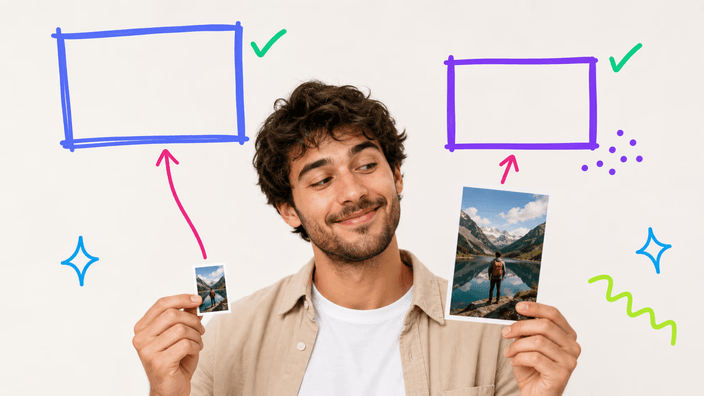
The AI aims for a high-resolution result rather than a fixed multiple, so how much bigger your image gets depends on how small it started. A little thumbnail grows a lot, while a photo already near the size limit comes back about the same size but noticeably sharper. Either way the edges are cleaner. The detail holds together at a larger size, which a plain stretch can never do. The exact pixels you end up with are shown when the result is ready.

Which formats and sizes work?

Which formats and sizes work?

The upscaler takes JPG, PNG, and WebP photos, the formats that decode cleanly with full color. Each image can be up to twenty megabytes and just under fifteen megapixels, which covers nearly any phone or camera shot. A photo already at that ceiling is past the point where enlarging helps anyway, so the limit rarely gets in the way. Files outside those formats or over the size are turned away with a clear message rather than a silent failure.

What happens to your photo?

What happens to your photo?

Each image you add is sent off to be upscaled, then removed from the flow once the work is done, never sold and never handed to anyone else. There is a daily limit on how many images one person can upscale, since each one is a real piece of AI work, so a heavy batch may need to wait until the next day. For most people, a handful of photos a day sits well inside it. Every result also gives you a link to share and a way to delete it.

What can you do after upscaling?

What can you do after upscaling?

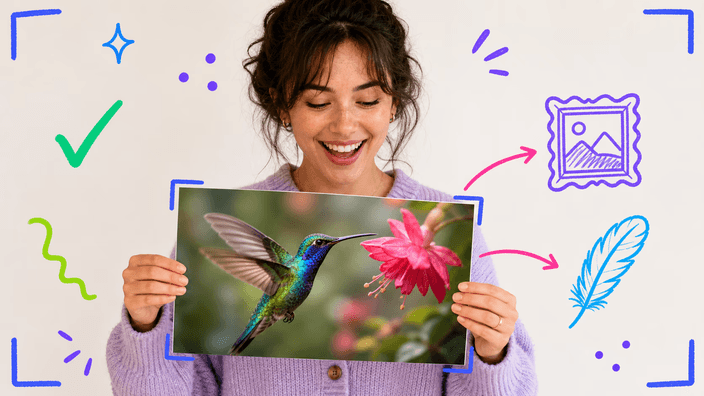
Upscaling is the right move when an image is too small or too soft for where it needs to go. If instead the photo is big enough but heavy, that is a job for a different step. Once your image is enlarged you can crop it down to the part that matters, compress it so the extra resolution does not slow a page down, or cut out the subject for a clean placement somewhere new.

Which photos upscale best?

Which photos upscale best?

Some photos gain the most from an upscale. Think of an old picture saved small years ago. Or a phone shot zoomed in until it went soft. Or a product image that must look crisp on a big screen, and art or logos that have to scale up cleanly. All come back better. Photos that are already large and sharp gain the least, since there is little for the AI to add. The clearer the subject and the simpler the noise, the cleaner the enlarged result.

How it works

  1. Add your photos

    Drop up to five images onto the grid, or pick them from your device. Each one is upscaled on its own.

  2. Press Upscale

    One button starts the work. There is no slider and no format to pick, the AI handles the enlargement for you.

  3. Watch the progress

    A real progress bar follows each image as it is rebuilt, so you always know how far along the work is.

  4. Check the result

    See the higher-resolution image and confirm it looks the way you want before you save it.

  5. Download the image

    Save the sharper image, or a zip for a set, to your device. Your photo is removed from the flow after the work.

Other tools to finish the job

Upscaling is one step. Trim the enlarged image to what matters, make the file lighter for the web, or lift the subject off its background.

Frequently asked questions

Does the upscaler really make the image bigger?

Yes, and the key word is rebuilds, not stretches. A stretch just spreads the pixels you already have, which is where the soft, blocky look comes from. The AI instead draws in new edges and texture so the photo holds up larger. How far it grows is shown the moment the result is ready.

What image formats can I upscale?

Stick to photos and the common ones all work: a JPG, a PNG, or a WebP goes through fine. Each file can run to twenty megabytes and just under fifteen megapixels. Anything in another format, or larger than that, is turned away up front with a clear note, so nothing fails silently mid-run.

Can I upscale more than one image at once?

Yes, you can add up to five images to the grid and press Upscale once. Each photo is enlarged on its own and the set comes back together as a zip, with a real progress count rather than a fake bar. A single image comes back on its own instead. There is a daily limit on how many you can upscale.

What happens to my photo when I upscale it?

Your photo is sent off to be enlarged, then removed from the flow once the result is ready, and you get a way to delete it yourself. It is never sold and never handed to anyone else. Because the AI runs on cloud servers, the image does leave your device for the few seconds the upscale takes, which is what makes the higher resolution possible.

Will upscaling restore detail that was lost?

Not exactly. The AI adds plausible new detail that fits the photo rather than recovering the original information, which was never in the smaller file to begin with. The result looks sharper and holds together at a larger size, but it is the model's best guess at what belongs there, not a perfect rebuild of what the camera once saw.

Is the AI upscaler free?

Yes, and the result comes back with nothing stamped on it. You can save the higher-resolution image and use it wherever you need without paying for the download. There is a daily limit on how many images one person can upscale, since each one is a real piece of AI work, but for most people a few photos a day fits comfortably.

Why is my image not getting much bigger?

Because it is already close to the size limit. The AI targets a high resolution, so a photo that starts near that ceiling has little room to grow and comes back mostly sharpened instead of much larger. The biggest jumps come from small images, an old thumbnail or a tightly cropped phone shot, where there is plenty of room to add resolution.

How do I upscale an image online?

There is nothing to install. Open the page, add up to five photos with a click or a drag, and press Upscale. Each image is rebuilt at a higher resolution in seconds and comes back ready to save, on its own or bundled as a zip, at the new size the AI produced.

The details

Notes from the team on craft, formats, and the small decisions behind a good round crop.

Why AI upscaling is not the same as stretching
When you drag the corner of an image to make it bigger, the computer has no new information to work with, so it simply spreads the pixels it already has over more space, guessing the gaps by averaging neighbors. The result is the familiar soft, blocky look of something blown up too far. An AI upscaler works differently. It has been trained on huge numbers of images. So instead of averaging, it predicts what a higher-resolution version of your photo would plausibly contain. It draws cleaner edges, firmer textures, and detail that holds together when the image is larger. It is important to be honest about what that means. The AI is not recovering detail that was lost, because that detail was never stored in the smaller file. It is inventing new detail that fits, its best guess at what belongs there. For most photos that guess is convincing and the enlarged image looks far better than a stretch. But it is a reconstruction, not a recovery. On tricky subjects you may spot where the model filled in.
When more resolution actually makes a difference
More pixels are not always better, so it helps to know when an upscale earns its keep. The clearest win is when an image is genuinely too small for where it is going. Think of a photo saved at thumbnail size years ago. Or a tightly cropped phone shot. Or an old avatar that now has to fill a banner. There the AI has plenty of room to add resolution and the difference is obvious. The same is true when a picture needs to look crisp on a large, high-density screen, or when a logo or piece of art has to scale up without going soft. Where an upscale earns little is on a photo that is already large and sharp, since there is almost nothing for the model to add and the file just gets heavier. If your image is big enough but slow to load, the job you actually want is to compress it, which keeps the size and cuts the weight, the opposite trade from upscaling.
Why the heavy lifting happens in the cloud
Rebuilding an image at a higher resolution is a demanding piece of AI work, far heavier than the everyday edits a browser can handle on its own, so the upscale runs on cloud servers rather than on your device. That is the honest trade behind the speed and quality. Your photo is uploaded for the few seconds the AI needs. So the tool cannot claim to keep everything on your machine the way a simple crop can. In exchange you get a result no in-browser tool could match on a typical phone or laptop, ready in seconds. The file is removed from the flow once the work is done, and you can delete it yourself. It is never sold or shared. There is a daily limit because each upscale is real work on shared servers. It is a deliberate balance: the cloud buys you quality and speed, and the privacy posture is stated plainly rather than dressed up as something it is not.