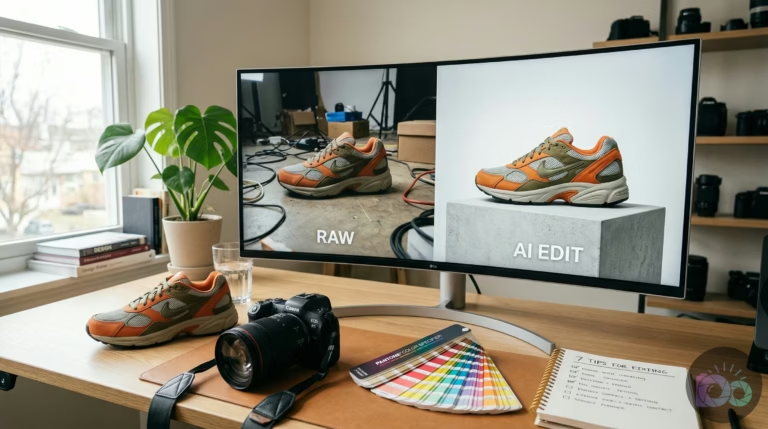
The best AI product photography tools for ecommerce in 2026 include Claid for high-volume catalog automation, Photoroom for mobile-first marketplace listings, and Adobe Photoshop with Firefly for detailed creative control. These platforms use generative AI to create realistic lifestyle backgrounds and on-model shots from simple packshots, significantly reducing production costs while maintaining visual consistency.
Managing an online store often creates a significant logistical challenge: shipping physical products to studios, waiting weeks for edits, and paying thousands for a single collection shoot. This bottleneck prevents you from testing new marketing angles or refreshing site content frequently. In 2026, the shift toward algorithmic commerce means you’ll need more images than ever to stay visible on social feeds and marketplace search results. Lacking a method to generate professional visuals in minutes causes growth to stall under the weight of production costs.
To solve this, you can turn to artificial intelligence to handle the heavy lifting of image creation. The best ai product photography tools for ecommerce allow you to turn a simple smartphone photo into a high-end commercial asset without booking a studio. This transition isn’t just about saving money; it’s about agility. You’ll react to seasonal trends or viral moments by generating new lifestyle scenes for your entire catalog in a single afternoon. The following analysis examines the current landscape and how to build a production pipeline that works for your business.
What are the best AI product photography tools for ecommerce in 2026?
AI product photography tools use machine learning models to identify objects within a photo, remove their backgrounds, and generate entirely new environments that look physically real. These tools aren’t just filters; they calculate how light should hit your product based on the new background you’ve chosen. If you place a bottle of water on a sunlit marble counter, the AI generates the correct reflections and shadows on the glass to make the scene believable. Instead of taking a photo of a product in a room, you’re teaching a computer what your product looks like so it can “photograph” it in any environment you imagine.
Market data shows Claid is a reliable choice for brands that need to maintain strict visual standards across thousands of items. It offers a dedicated workspace where you’ll clean up raw images, adjust lighting, and generate consistent lifestyle backgrounds. For those who manage shops primarily from a phone, Photoroom is the leader in mobile-first editing. It provides marketplace-specific templates that ensure your photos meet the requirements of platforms like Amazon or Etsy. These tools have moved past simple background removal; they now act as full-service virtual photo studios that can even place clothes on digital models that look indistinguishable from human talent.
If you’re starting with low-resolution images from a supplier, you’ll need to use a secondary step to ensure clarity. Using a free upscale image tool restores the fine details and textures that AI generators sometimes soften during scene creation. This is particularly important for high-end goods where the customer needs to see the weave of a fabric or the brushed metal of a watch. By combining a generator with a specialized upscaler, you create a professional-grade output that holds up on high-resolution Retina displays.
How to choose the right AI photo editor for your online store?
Choosing the right tool depends on your specific product volume and the level of creative control you require. A reseller listing five unique vintage items per day has different needs than a direct-to-consumer (DTC) brand launching a 50-SKU collection every month. To choose effectively, you must look at the “product fidelity” of the tool—how well it preserves your actual item without warping logos or changing colors. Many generic AI generators “hallucinate” details, leading to customer complaints when the physical product doesn’t match the image. This means you should look for tools that offer a “product lock” or “canvas” feature to keep your item 100% accurate while changing the environment around it.
Another factor is the technical requirement of the platform where you sell. You should always verify that your outputs meet Shopify product image standards, which emphasize clear backgrounds and consistent aspect ratios. If a tool doesn’t allow you to export in specific dimensions or formats like WebP, it adds extra steps to your workflow. For instance, Adobe Photoshop with Firefly is excellent for “hero” images that require pixel-perfect retouching, but it is often too slow for a 500-item catalog update. Conversely, a tool like Pebblely is perfect for quick lifestyle shots but lacks the advanced editing layers needed for complex, reflective products like jewelry.
| Tool Name | Primary Strength | Pricing Model | Best For |
|---|---|---|---|
| Claid | Catalog Automation | Subscription (Credits) | High-volume DTC brands |
| Photoroom | Mobile Workflow | Free / Pro Subscription | Resellers & Marketplace sellers |
| Adobe Firefly | Creative Control | Creative Cloud Plan | Professional Designers |
| Omi | 3D Digital Twins | Enterprise Pricing | Luxury & Tech Brands |
| Pebblely | Lifestyle Presets | Free / Paid Plans | Small shops & Social content |

Which AI tools offer the best batch editing for large catalogs?
Batch image editing for ecommerce is the process of applying the same set of edits—such as background removal, color correction, and resizing—to hundreds of photos at once. This is a critical feature for growing stores. If you have to click “generate” for every single photo, you aren’t saving time. Leading ecommerce photo editor apps like Photoroom and Claid offer batch modes where you upload a folder of raw packshots, select a theme like “Mediterranean Summer,” and the AI processes the entire set in the background. This ensures every product in your collection has the same lighting, color temperature, and shadow depth, creating a cohesive look on your collection pages.
The most advanced version of this workflow uses APIs (Application Programming Interfaces). Instead of a person dragging and dropping files, your store’s backend communicates with the AI tool. When you upload a new product to your warehouse system, it automatically sends the photo to the AI, which removes the background, adds a shadow, upscales it, and returns it to your store’s media library. This level of automation is why modern brands launch new products daily. For more insights on how these technologies stack up, you can read about AI photo editing software for eCommerce to see which handles high-volume tasks most reliably.
When dealing with large batches, file management becomes a secondary challenge. Large PNG files slow down your site, affecting search rankings. A standard part of a batch workflow should include an automated step to compress image files before they are uploaded. This ensures that while the AI gives you a beautiful 4K scene, the final file your customer downloads is small and fast. Many enterprise-level AI tools now include this compression as part of their export settings to help maintain high Core Web Vitals scores.
Can AI photography tools replace traditional studio equipment?
While AI has replaced basic studio setups for many categories, it isn’t a total replacement for all professional photography yet. For simple items like packaged goods, shoes, and basic apparel, AI often performs better because it generates complex lighting and environments that would be expensive to build physically. Still, highly reflective surfaces like high-end jewelry, glass bottles, and certain metallic electronics still pose a challenge. These items reflect the room they are actually in; if the AI replaces that room with a beach scene, the reflections might still show the original studio. This complexity involves managing multiple light sources to avoid hard glints while preserving the “fire” of gemstones—a task where AI still benefits from human retouching.
“Images account for on average 50% of a web page’s total weight, making their optimization the single most impactful step for site performance.” — HTTP Archive
In 2026, the most successful brands use a hybrid model. They might still do a high-end studio shoot for their primary “Hero” image on the homepage to ensure absolute perfection. Then, they use AI product photography editing software to take that same product and generate 50 different lifestyle variations for Instagram ads, email newsletters, and seasonal banners. This allows the brand to have the prestige of high-end photography with the scale of AI generation. Knowing which items need a human eye and which ones can be handled by a machine is key. For those looking to move away from expensive subscriptions, there are several Lightroom alternatives that integrate AI workflows for a lower cost.
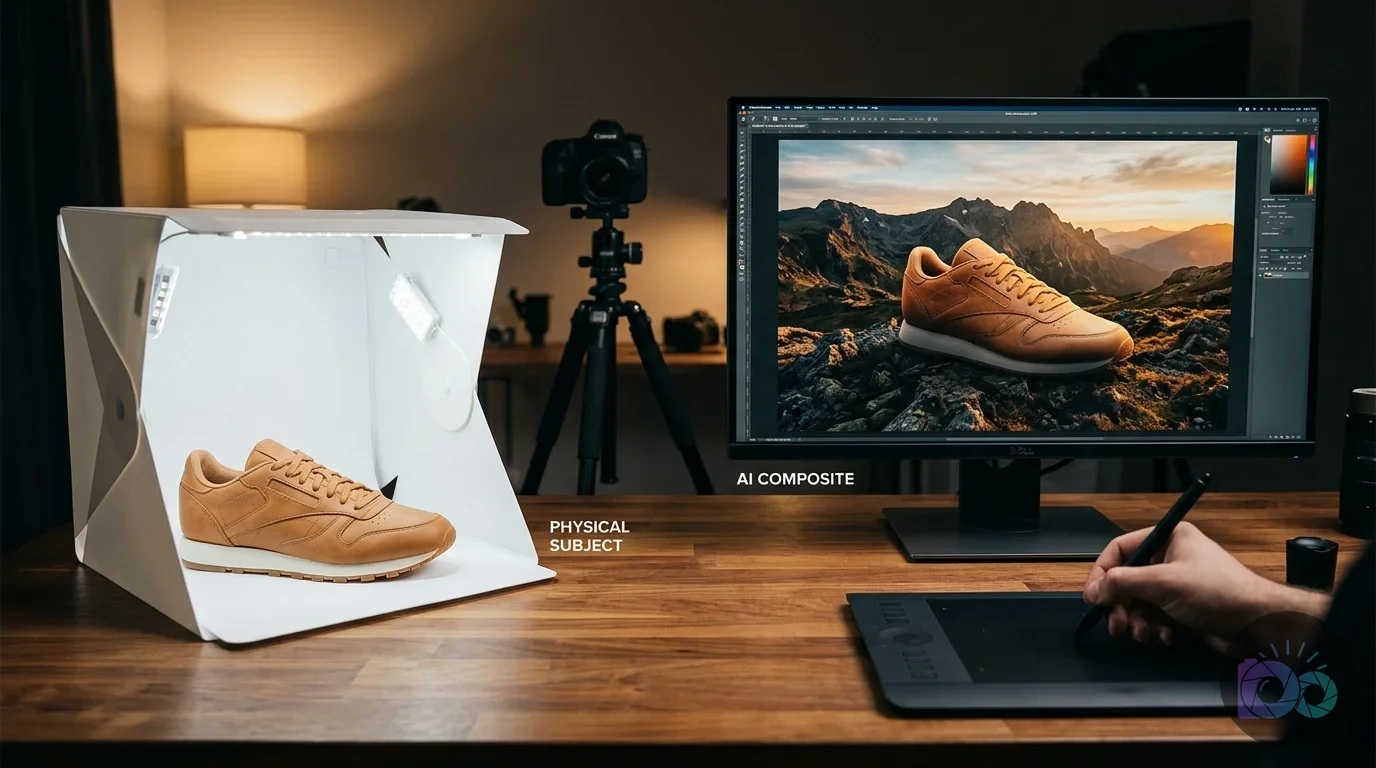
The E-commerce Production Pipeline: Combining Tools for Pro Results
To get the best results, you shouldn’t rely on a single tool to do everything. A professional “AI Stack” typically involves three distinct steps. First, you’ll need a clean cutout of your product. While many generators have built-in removal, using a specialized, free background remover often yields cleaner edges, especially around difficult areas like hair, fur, or transparent plastics. Starting with a perfect transparent PNG ensures that when you place the item into an AI-generated scene, there are no white pixels or halos around the edges. This is the foundation of a believable image.
The second step is the scene generation itself. This is where you use a tool like Pebblely or Claid to generate the lifestyle context. Instead of just picking a generic background, the best results come from using “Reference Images.” You upload a photo of an aesthetic you like—perhaps a moody, dark-wood library or a bright, minimalist kitchen—and tell the AI to match that specific lighting and color palette. This creates a photography style unique to your brand, preventing your store from looking like every other AI-generated shop. This step is where the creative soul of your brand lives.
The final step is technical optimization. AI tools often output files in generic formats or resolutions that aren’t optimized for the web. According to Google’s performance guidelines, serving images in the correct dimensions is a key factor for user experience. You should have a final export step that converts your images to the WebP format and resizes them to match your store’s specific theme requirements. This pipeline—Cutout, Generate, Optimize—is the industry standard for pro-level ecommerce in 2026.
Technical Standards and Export Requirements for 2026
In the current ecommerce landscape, being visually appealing isn’t enough; your images must be technically sound. Most marketplaces now require a minimum resolution of 2000×2000 pixels to enable zoom features, which have been shown to increase conversion rates according to research from platforms like Shopify. If your AI generator outputs smaller files, you must upscale them. Furthermore, the industry is moving toward the GS1 product image standard, which dictates specific naming conventions and metadata tags. These tags include global trade item numbers (GTIN) and brand ownership data, helping search engines verify the authenticity of your product images.
For file formats, WebP is the non-negotiable standard in 2026. It provides superior lossless and lossy compression for images on the web, often making files 26% smaller than JPEGs while maintaining visual quality, according to Google’s data. If your AI tool exports in PNG, you’ll want to convert them before uploading. This technical discipline ensures your high-quality AI photography doesn’t negatively impact your page load speed. A beautiful image that takes 4 seconds to load is an image that costs you sales.
“Quality product photography is not just about aesthetics; it is a fundamental component of digital trust and the primary driver of ‘Add to Cart’ actions.” — Shopify Technical Documentation
Additionally, consider the DPI (Dots Per Inch) requirements if you plan to use these images for any physical marketing, like package inserts or thank you cards. While web images live at 72 DPI, print requires 300 DPI. Most AI tools default to web resolution, so you’ll need to adjust your upscale settings if you intend to move from pixels to paper. This attention to detail is what separates an amateur seller from a professional brand that looks established and trustworthy.
To start building your 2026 photography workflow, pick one product that currently has a poor-quality photo. Run it through a specialized background remover, generate a new scene using a lifestyle preset in Claid or Pebblely, and upscale the result to at least 2000 pixels. Compare the new version to your old one; if the “Add to Cart” rate increases, you have the proof you need to roll out this AI stack across your entire catalog to achieve professional results at a fraction of the traditional cost.
If your next step is discover essential mobile apps to edit product photos for e-commerce. learn pro tips for background removal, lighting, and optimization to boost your online store's visuals easily, Top Mobile Apps: E-commerce Product Photo Editing Guide is a dedicated option for that workflow.
FAQ
how to make ai product photos look real
Focus on lighting consistency and shadow generation by ensuring the AI-created shadows match the direction and softness of the light in the background. Use tools with product protection features to prevent the AI from warping your item’s shape or logo.
free ai product photography tools
Photoroom and Pebblely offer generous free tiers that are suitable for small sellers, providing basic background removal and template-based scene generation. You can also use a dedicated free background remover tool before moving images into a generator to avoid watermarks.
Can I use AI images on Amazon and Shopify?
Yes, AI-generated images are acceptable as long as the product is represented accurately and the image meets technical specifications like a white background for main listings and 2000px resolution. Avoid hallucinated features or props that aren’t included with the physical product.
best ai tool for fashion product photography
Claid is the current leader for fashion due to its AI Fashion Models feature, which places garments on digital models while preserving fabric texture and drape. This technology handles the way clothing folds and fits much better than generic image generators.
Remove image backgrounds with AI