Loading your files…

Crop any image, free

Pick the crop you need below. Drag the frame, and the result is built on your own machine, with nothing uploaded.

How does the image cropper work?

How does the image cropper work?

Pick the crop you need from the grid, then drop your image on the page that opens. Drag the frame over the part you want to keep, adjust the edges, and a live preview shows the result as you go. When it looks right, download it. The whole thing runs in the browser on your own machine, so the crop is ready in a moment with nothing sent anywhere. You always choose the shape first, so you land on a page built for exactly that crop. After cropping, you can also compress, resize, or convert the image.

Which crops can you make?

Which crops can you make?

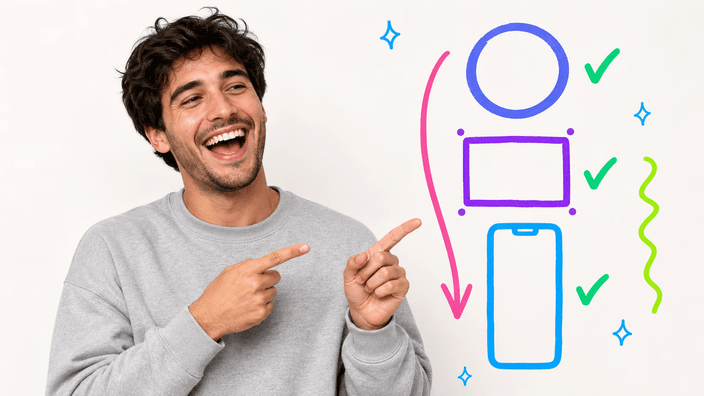
You can crop to three kinds of shape. A circle gives a clean round cut-out, ideal for a profile picture. An open rectangle lets you reframe to anything, trimming away the edges you do not want. A fixed ratio locks the frame to a set proportion, so the photo fits a square post, a wide banner, or a tall story without guesswork. Each shape is its own page, opened from the grid below.

Does cropping change quality?

Does cropping change quality?

Cropping does not re-compress the part you keep, so what stays inside the frame holds its original detail. All the tool does is remove the area outside the frame, then save what is left. The export holds a high resolution, so a crop stays sharp for an avatar or a banner. The only thing you lose is the part you chose to cut away, which is the whole point of a crop.

Where does your image go?

Where does your image go?

Your image is cropped right on your own machine, and nothing is uploaded to a server. The photo is read, trimmed, and saved without leaving the page, so there is no queue, no upload wait, and no copy sitting on someone else's computer. You can confirm it stays put: the result appears the instant you finish dragging the frame, with no round trip. Every crop here works the same way.

When should you crop an image?

When should you crop an image?

Three moments come up again and again. A profile or avatar: a circle cut-out frames a face cleanly. A thumbnail or banner: a fixed ratio makes the photo fit a feed, a header, or a story exactly. Tightening the focus: an open rectangle trims distractions and puts the subject where you want it. Match the crop shape to where the picture is going to live.

One crop or a whole set?

One crop or a whole set?

One image at a time. You open a crop, drop a single photo, frame it, and save, then move on to the next if you have more. There is no batch mode here, because a crop is a hands-on choice, you decide exactly what to keep on each picture. Keeping it to one at a time also keeps the whole crop in the browser on your own machine, quick and with nothing uploaded.

How it works

  1. Choose the crop you need

    Scan the grid below and pick the shape you want, a circle, a free rectangle, or a fixed social ratio.

  2. Add your image

    On the page that opens, drop your photo onto the zone or pick it from your device. One image at a time.

  3. Drag the frame

    Move and resize the frame over the part you want to keep. A live preview shows the crop as you adjust.

  4. Check the result

    Confirm the framing and the shape look right in the preview before you save anything.

  5. Download the file

    Save the cropped image to your device. The whole crop ran on your own machine, with nothing uploaded.

Other tools to finish the job

Cropping is one step. Make the file smaller without changing its look, fit it to an exact size, or change its format for where it is going.

Frequently asked questions

Does cropping an image reduce its quality?

No. Cropping keeps the part inside the frame exactly as it was and only removes what falls outside. The area you keep is not re-compressed by the crop itself, so it holds its original detail. The export stays at a high resolution, sharp enough for an avatar or a banner.

Where do my images go when I crop them?

Most of the time, nowhere beyond your own machine, the crop runs in the browser and the photo stays with you the whole time. Because the picture is never sent up, there is no queue and no processed copy left behind, and the result is yours the moment you finish framing.

Can I crop several images at once?

Not in one pass. Cropping is a hands-on choice, you frame each photo yourself, so you work one image at a time. Open a crop, frame and save your first picture, then add the next. This also keeps every crop fully on your own machine.

What shapes and ratios can I crop to?

Match the shape to the slot. Round suits a face in a profile photo, where the corners would only get in the way. A locked proportion suits anything that drops into a set frame, a square tile or a wide header. And when nothing is fixed, pull the edges by hand until the subject sits exactly where you mean it to.

Which image formats are supported?

You can crop the formats every modern browser reads natively, including PNG, JPG, and WebP. The cropped result is saved as a standard image you can use anywhere. Specialist formats like HEIC, TIFF, BMP, and RAW are not handled yet.

Why would I crop an image?

Usually to fit or to focus. A circle makes a tidy avatar, a fixed ratio makes a photo sit right in a feed or a header, and an open rectangle trims away distractions so the subject stands out. The shape you pick should match where the picture is headed.

What is the difference between a circular and a rectangular crop?

A circular crop cuts a round shape out of the photo, with the corners removed, which suits profile pictures. A rectangular crop keeps four straight edges and simply trims the frame, which suits thumbnails, banners, and tightening the focus. Pick the one that matches the slot the image will fill.

How do I crop an image online?

Start by choosing a shape from the grid, a circle, a rectangle, or a set ratio. On the page that opens, drop a photo, then pull the handles until the frame sits where you want. Save when the preview matches, and the cropped picture is yours, and nothing leaves for a server.
The details

Notes from the team on craft, formats, and the small decisions behind a good round crop.

Why the whole crop stays on your own machine
Every crop in this family runs where you are, not on a distant server. When you drop a photo onto a crop page, the browser reads it directly into memory, the frame you drag defines what to keep, and the result is drawn and saved without a single upload. That is why a crop is ready the moment you stop dragging: there is no file to send up, no queue to wait in, and no processed copy left sitting on someone else's computer. It also means the tool works the same whether you are online or barely connected, since the only machine involved is yours. For a profile picture or an ID photo, that staying on your machine is not a nice extra, it is the point: the image you trim never has to leave your hands to get cropped.
The crop shapes, and which one fits where
A crop is really a decision about shape, and three shapes cover almost everything. The circle is built for faces and logos: it cuts a clean round window and drops the corners, which is exactly what a profile slot or an avatar expects. The open rectangle is the workhorse, it lets you reframe with no fixed proportion, trimming distractions and re-centering the subject until the composition is what you meant. The fixed ratio sits between the two: it holds an exact proportion, a square, a wide banner, a tall story, so a photo drops into a feed or a header without being stretched or letterboxed. Choosing well is less about a single best crop and more about matching the shape to the place the picture will live.
Why a focused cropper beats a do-everything editor
A full photo editor can crop, but the crop is buried under layers, filters, and menus you do not need for a quick reframe. A focused cropper does one job and makes it immediate: open the shape you want, drag a frame, save. There is nothing to learn and nothing to install. Keeping the scope small also keeps the whole thing on your own machine, fast and local, instead of routing your photo through a heavy online suite. And because each crop shape gets its own page, the controls match the task, a round preview for a circle, open edges for a rectangle, locked proportions for a ratio, rather than one generic box that treats every crop the same.