In my book, the best all-around AI photo editor is Adobe Photoshop, thanks to its powerful Generative Fill and pro-level toolset. For a simpler, AI-first experience, though, Luminar Neo is fantastic for automated enhancements. And for integrating AI photo edits directly into social media designs, Canva is the top choice, offering great tools like Magic Eraser for free.
Ever had that perfect photo for a social media campaign, only to spot a distracting object in the background? We’ve all been there. In the past, removing it meant tedious minutes with a clone stamp tool. Not anymore. Now, you can simply paint over the object and let an AI erase it without a trace. This is the practical power of AI photo editors—they automate the grunt work, letting you focus on the creative side of things.
What Exactly Does an AI Photo Editor Do?
So what’s an AI photo editor actually doing under the hood? It uses smart algorithms to perform complex image editing tasks automatically. Instead of you manually selecting pixels or adjusting dozens of sliders, the software analyzes the image and applies intelligent changes with minimal input. These solutions are designed to speed up your workflow for everything from product photos to personal portraits.
For most of us, the best option is an editor that nails these common jobs:
- Object and Background Removal: Instantly erase unwanted people, objects, or text from a photo. You can also make an image background transparent with a single click, which is a lifesaver for e-commerce product listings.
- Generative Fill and Expand: Add new elements to your visual using text prompts or extend the canvas beyond its original borders. The AI generates new content that matches the existing lighting and style.
- Smart Enhancement: Automatically adjust brightness, contrast, color balance, and sharpness based on the photo’s subject. An AI can recognize a landscape and boost the greens, or identify a portrait and subtly soften skin.
- Sky Replacement: Swap a dull, overcast sky for a vibrant sunset or clear blue day. The program also adjusts the lighting and color of the entire picture to match the new sky.
- Upscaling and Sharpening: Improve the resolution of low-quality images or fix slightly blurry photos, making them usable for print or high-resolution displays.
Adobe Photoshop: The Professional Standard with AI Superpowers
Let’s be honest, Adobe Photoshop remains the industry benchmark for photo editing, and its integration of AI has made it even more powerful. Its AI capabilities are built into a comprehensive, layer-based workflow, giving you ultimate control over every edit. The AI assists your work rather than taking over completely.
The standout feature is Generative Fill, powered by Adobe’s Firefly AI model. You can select any area of your image and type a prompt to add, replace, or remove content. For instance, you could select an empty patch of grass in a photo and type “add a picnic basket” to generate one that fits the scene. The Remove Tool is another impressive capability; it intelligently rebuilds the background after you paint over an object you want to erase. Plus, features like Generative Expand let you change an image’s aspect ratio by creating new content around the edges. It’s a .
The main drawback is its complexity. Photoshop has a steep learning curve for beginners. And while its AI tools are intuitive, accessing their full potential requires understanding layers and masks. On top of that, the pricing is subscription-based, and generative features consume credits, which can be a limitation for heavy users. For a detailed comparison with a simpler tool, check out our analysis of Canva vs Photoshop.
Luminar Neo: The AI-First Editor for Photographers
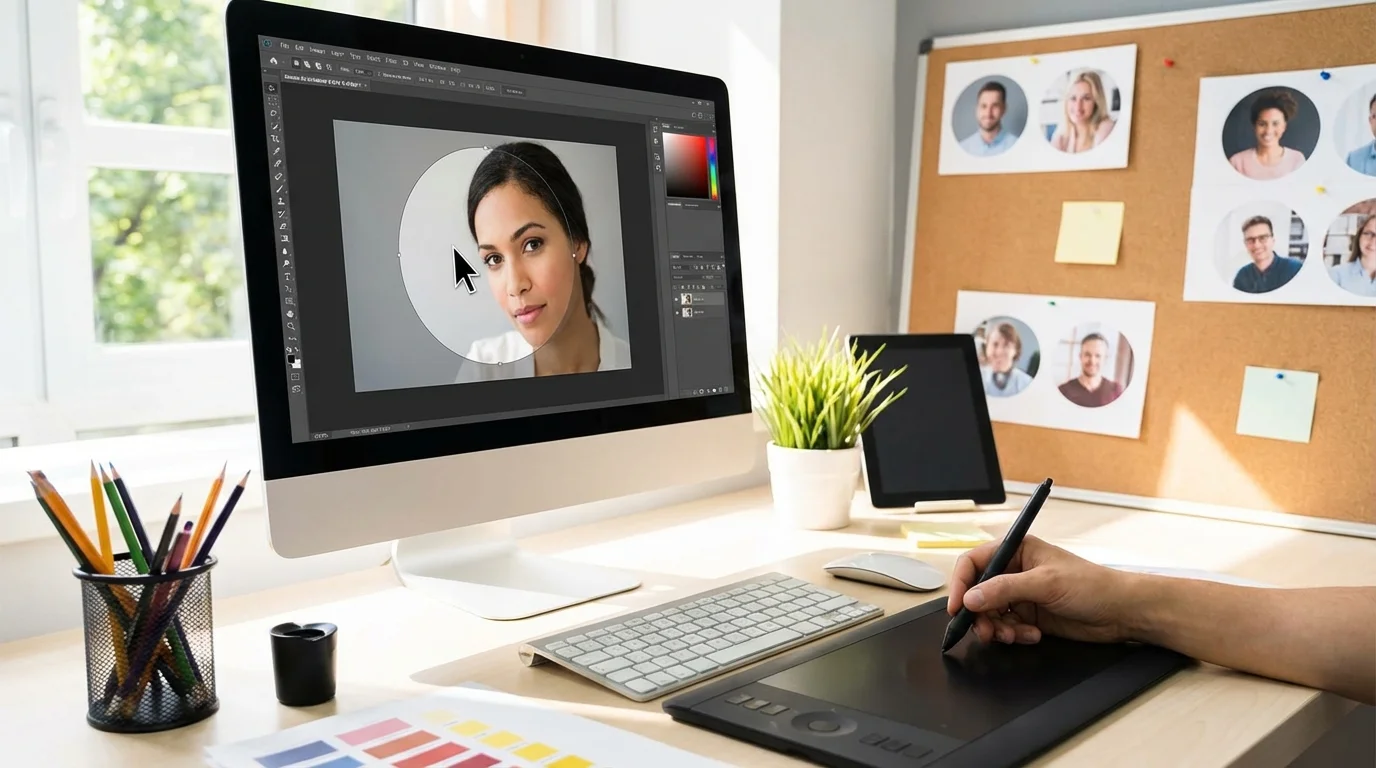
Luminar Neo is built from the ground up with artificial intelligence at its core. While Photoshop adds AI to a traditional editor, Luminar’s entire workflow is designed around AI-driven adjustments. This makes it exceptionally fast for photographers who want to achieve high-quality results without spending hours on manual tweaks.
Its key AI tools are focused on enhancing photos quickly and effectively. Sky AI flawlessly replaces skies, Enhance AI adjusts up to a dozen settings with one slider, and Relight AI allows you to adjust foreground and background lighting independently. For portraits, its features for skin smoothing, eye enhancement, and face shaping are subtle yet effective. A good photo can become a great one in under a minute. You also get a lot of control through sliders, so you can dial back the effects to keep your photos looking natural.
Luminar Neo is less of a general-purpose graphic design tool and more of a dedicated photo enhancer. Its pricing model has changed over time, which can be confusing, but it often offers a perpetual license—a rare option these days. If your primary goal is to make your photos look better, faster, this is a fantastic choice.
Canva: Best for Social Media and All-in-One Design
Canva is a design platform first and a photo editor second, but its AI photo editing tools are surprisingly powerful and perfectly integrated for content creators. Its strength lies in its simplicity and the ability to edit a photo and drop it directly into a social media template, presentation, or ad creative. This integrated workflow is a massive time-saver.
Images makeup on average 21% of a total web page’s weight. — HTTP Archive
Inside Canva’s “Magic Studio,” you’ll find a suite of AI tools. Magic Eraser lets you brush over objects to remove them, while Magic Edit allows you to replace an object with something else via a text prompt. The Background Remover is one of the best available and is incredibly popular for creating clean product shots. Imagine you upload a photo of a model wearing your product, remove the background, add your brand’s colors, and have a finished Instagram post in five minutes.
The downside is a lack of precision. You don’t get the fine-grained control over adjustments that you would in Photoshop or Luminar. Still, for the vast majority of social media and marketing tasks, Canva’s AI tools are more than capable and are available on a very generous free plan.

Pixlr: The Top Free and Browser-Based AI Editor
Ever need to make a quick edit when you’re not on your main computer? Pixlr is your answer. It’s a web-based photo editor that provides a suite of AI tools accessible from any browser without installation. It’s the ideal solution for quick edits when you don’t want to commit to a paid subscription. It offers a user-friendly interface that feels similar to a simplified version of Photoshop.
Its AI features include one-click background removal, an object-erasing tool, and generative fill capabilities. The results are solid for a free tool, though they may not always match the polish of premium software. Pixlr works well for straightforward tasks like cleaning up a headshot for a blog post or creating a simple graphic with a transparent background. It’s fast. It gets the job done.
The free version is supported by ads, which can be distracting. And even though the AI tools are powerful, they are not as refined as those in paid software. Heavy use might require a subscription to unlock more features and remove ads, yet its free offering is one of the most comprehensive available online.
Choosing the Right AI Photo Editor
So, which one should you pick? The truth is, the best AI photo editor depends entirely on your needs, budget, and technical skill. A professional photographer requires a different tool than a social media manager. To help you decide, consider how you plan to use the software and what tasks you perform most often.
| Tool | Best For | Key AI Feature | Pricing Model |
|---|---|---|---|
| Adobe Photoshop | Professionals, designers, and photographers needing full control. | Generative Fill & Remove Tool | Subscription |
| Luminar Neo | Photographers wanting fast, high-quality AI enhancements. | Sky AI & Enhance AI | Subscription or Perpetual License |
| Canva | Marketers, content creators, and small businesses. | Magic Eraser & Background Remover | Freemium |
| Pixlr | Quick edits, casual users, and those needing a free online tool. | AI Remove BG & Generative Fill | Freemium |
It boils down to this: If you need pixel-perfect control and work with complex, layered images, Photoshop is the answer. However, if your goal is to enhance your photos beautifully in the shortest time possible, Luminar Neo is your best bet. For anyone creating social media content or marketing materials, Canva’s integrated workflow is unbeatable. And for those who need a capable tool for occasional edits without any cost, Pixlr is the perfect choice.
AI photo editors are no longer a novelty; they are practical tools that automate tedious work and save you valuable time. Instead of getting bogged down in technical edits, you can focus on creativity and strategy. The best way to start is by trying a free tool. Test Canva’s Magic Eraser or Pixlr’s background remover on one of your own images to see how much faster your workflow can become.
FAQ
Can AI photo editors make pictures from scratch?
Mostly, they’re for editing existing photos. Some tools like Photoshop can use ‘Generative Fill’ to create parts of an image from a text prompt, but for making a whole new picture from scratch, you’d want a dedicated AI image generator.
Are the free AI photo editors good enough for pro work?
Absolutely. Free options like Canva and Pixlr are great for tons of professional jobs, especially for social media and web stuff. But for high-res print work or really complex edits, a paid tool like Photoshop will give you more precision and better quality.
Will AI make photo editing skills useless?
Not at all. AI is great at handling the boring, technical stuff, but it can’t replace your creative vision. You still need skills in composition and color, plus you need to know how to guide the AI to get the look you want. Think of it as a really smart assistant, not a replacement.
What’s the best AI tool for removing backgrounds?
For everyday stuff like social media posts, Canva’s Background Remover is super fast and effective. If you’re dealing with tricky details like hair or fur, though, Photoshop’s AI-powered selection tools will give you a much cleaner, more professional result.