Bitwarden vs Apple Passwords: Cross-Platform Security in 2026
Switching from Apple Passwords to Bitwarden in 2026 is the smartest move you can make to reclaim your digital sovereignty. Sure, Apple’s Keychain is slick on…

Switching from Apple Passwords to Bitwarden in 2026 is the smartest move you can make to reclaim your digital sovereignty. Sure, Apple’s Keychain is slick on an iPhone, but the moment you step outside that ecosystem, things get messy. Bitwarden breaks those walls, offering a transparent, open-source vault that follows you across Windows, Android, and Linux. It’s not just about convenience; it’s about ensuring your credentials stay reachable no matter what hardware you pick up next. Plus, you get the peace of mind that comes with knowing exactly how your data is being handled.
Beyond the Walled Garden: Why Cross-Platform Access Wins
Moving to Bitwarden in 2026 is the most direct path to cross-platform security. While Apple’s native solution feels like a warm blanket for iOS devotees, Bitwarden brings a level of transparency and flexibility that a closed system simply can’t match. It’s a professional-grade vault for anyone who refuses to be locked into a single brand. Have you ever felt that sinking feeling when you realize your passwords are stuck on a device you’re not currently holding?
Imagine you’re sitting in a busy airport lounge, balancing your Windows laptop on your knees. You’ve just finished a set of high-resolution edits and need to upload them to your client’s gallery. You reach the login screen, only to realize your complex, 24-character passphrase is tucked away inside your iPhone’s Keychain. You can’t sync it to your PC. You can’t copy-paste it across devices. You’re left squinting at a small screen, manually typing characters and hoping you don’t miss a single capital letter. It’s frustrating, right?
The truth is, professional creators switch between hardware frequently in a single day. A typical workflow might involve capturing photos on an iPhone, editing them on a MacBook, and managing the storefront on a Windows desktop. If your logins don’t travel with you, your productivity hits a wall every time you switch screens. You shouldn’t have to choose your hardware based on where your secrets live. Since your work involves various operating systems, relying on a single-ecosystem manager is no longer a sustainable strategy.
Bitwarden vs. Apple Passwords: Key Differences
Think of Bitwarden as a portable asset, whereas Apple Passwords is a proprietary feature of the hardware you bought. This separation is about the philosophy of data ownership. Bitwarden treats your credentials as a portable asset that follows you regardless of whether you’re using a MacBook, an Android tablet, or a Linux workstation. Plus, since it is open-source, the infrastructure is audited by the public, not just a handful of corporate engineers.
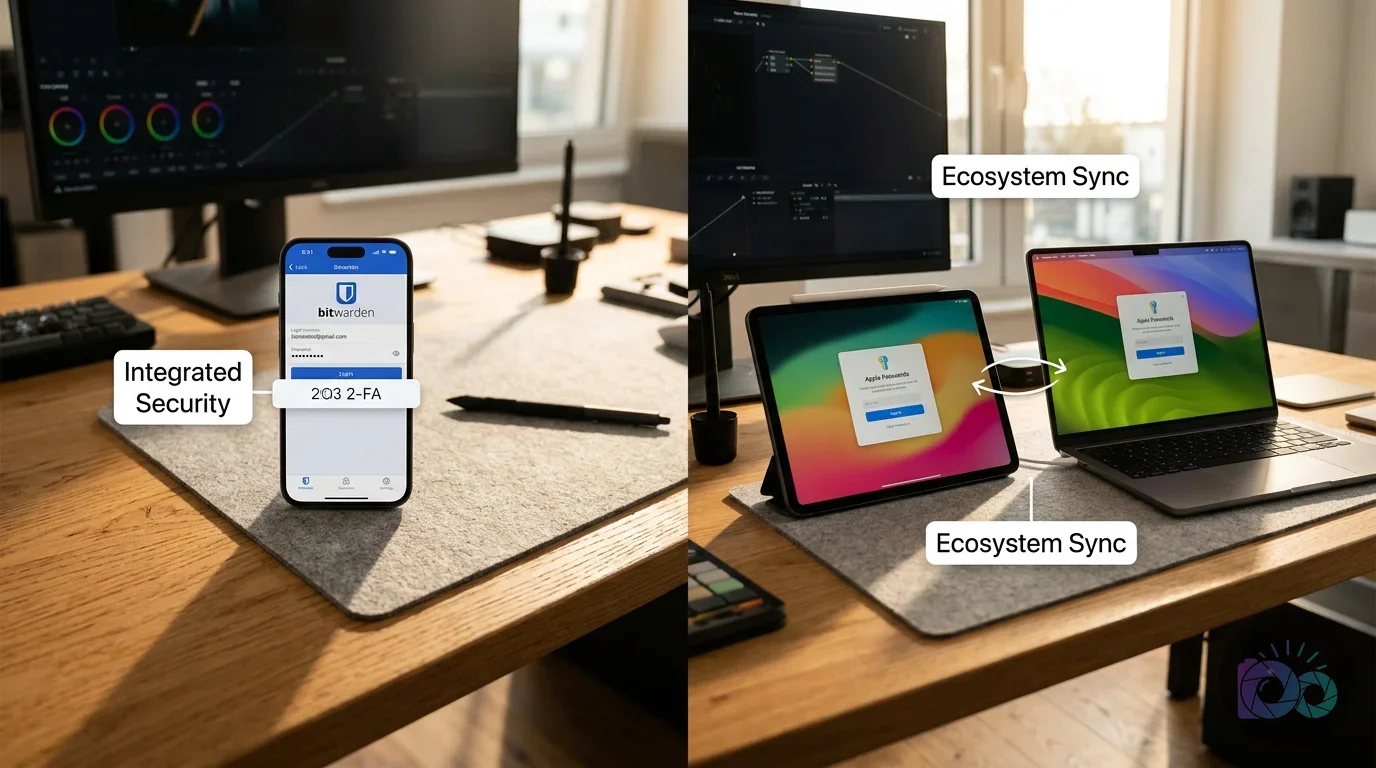
Apple’s solution is deeply integrated into the hardware, which makes it fast for Safari users. It’s built into the Settings app and uses FaceID without issues. But that integration is also its biggest limitation. Once you step away from an Apple-branded terminal, accessing your vault becomes a chore involving browser extensions that don’t always play nice. Bitwarden, on the other hand, operates as a standalone service with dedicated apps and extensions for every major platform. Anyway, look at these fundamental differences:
- Accessibility: Bitwarden works on every OS; Apple Passwords is locked to iCloud users.
- Code Transparency: Bitwarden is open-source and publicly audited; Apple is a closed, proprietary system.
- Feature Depth: Bitwarden includes secure notes and file attachments; Apple focuses almost entirely on login credentials.
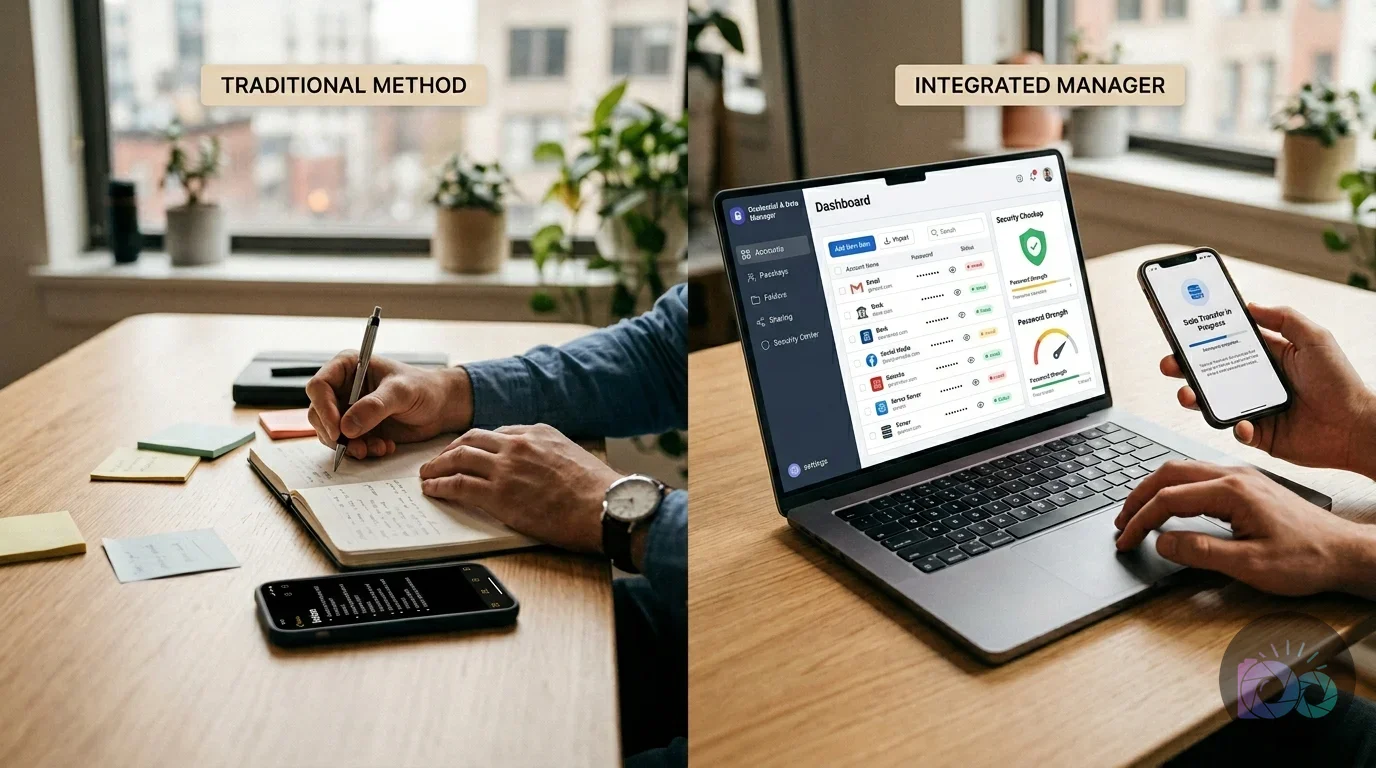
Security, Audits, and the Power of Open Source
Security in 2026 isn’t just about how strong your encryption is; it’s about how many layers of protection you can easily manage. Both services use zero-knowledge encryption, meaning the service provider can’t see your data. Still, Bitwarden takes this further by offering an integrated Two-Factor Authentication (2-FA) generator within the app. Instead of jumping between a manager and a separate authenticator app, Bitwarden handles both. Even though Apple has basic 2-FA, it lacks the same level of customization.
Another key advantage is the open-source nature of the software. According to Bitwarden’s official documentation, their code is available for anyone to inspect. This creates a “many eyes” effect where security researchers globally can find and report vulnerabilities before they are exploited. Apple’s approach relies on the company’s internal teams alone. For store owners who handle sensitive customer data, the transparency of open-source software provides a higher level of verifiable trust. Besides, why would you trust a black box when you can see the gears turning?
“The transparency of open-source security models allows for continuous public auditing, which is a significant advantage over closed-source alternatives.” NIST Cybersecurity Framework 2.0 (Core Principles)
Professional security setups often require more than just a username and secret. Bitwarden allows you to store:
- Secure notes for server configurations or Wi-Fi keys.
- Credit card details with custom fields for extra security questions.
- Encrypted file attachments, such as scans of ID cards or recovery codes.
- Identity profiles for fast form-filling on e-commerce sites.
Organizational Depth and Technical Comparison
Apple Passwords is essentially a long, searchable list. It’s clean and functional, but it lacks the organizational depth needed for a complex digital life. If you’re managing multiple projects, client accounts, and personal logins, a flat list becomes overwhelming. Bitwarden introduces Folders and Collections, allowing you to group your credentials by project or category. On top of that, the search functionality is far more robust.
For someone managing a photography business, this means you can have a folder for Client Galleries, another for Social Media Tools, and a third for Financial Apps. This keeps your workspace tidy and helps you find what you need in seconds. Bitwarden fits into this structured approach by mirroring your professional folders in your security vault. Meanwhile, look at this breakdown of the technical differences:
| Feature | Apple Passwords | Bitwarden |
|---|---|---|
| Operating Systems | iOS, macOS, iPadOS | Windows, Mac, Linux, Android, iOS |
| Browser Support | Safari (Native), Chrome (Partial) | Chrome, Firefox, Safari, Edge, Brave |
| 2-FA Generator | Basic | Built-in (Premium) |
| Open Source | No | Yes |
| Secure Notes | Limited | Advanced with Attachments |
| Price | Free with Hardware | Free Tier / $10 Yearly Premium |
The Migration Blueprint: Moving Your Data Safely
Moving your data is a straightforward process. It involves exporting your data from Apple and importing it into Bitwarden’s web vault. You don’t have to re-type a single secret. Handle your export file with extreme care, as it contains all your secrets in plain text until it’s imported and the file is deleted. Unless you are careful, this file is a major security risk while it sits on your desktop. If you are on a Mac, follow these steps:
- Open the Passwords app and authenticate with your system password.
- Go to the File menu and select Export Passwords.
- Save the CSV file to your desktop.
- Log into your Bitwarden vault in a web browser.
- Navigate to Tools > Import Data.
- Select Apple Passwords (csv) as the format and upload your file.
Once the import is complete, check a few entries to ensure everything transferred correctly. After you’re satisfied, delete the CSV file from your Mac and empty the trash immediately. To finalize the setup, go to your iPhone’s Settings > Passwords > Password Options and toggle off iCloud Keychain while enabling Bitwarden. This ensures your phone knows which app to use for autofill. Then again, if you need help with other software shifts, you can see how professionals handle AI photo editing software for ecommerce to keep their systems optimized.
The Verdict: When to Stay with Apple
Even with the advantages of Bitwarden, staying put makes sense in specific scenarios. If your entire life is built on an iPhone, an iPad, and a MacBook (and you never intend to use a Windows PC or an Android device) Apple Passwords is the faster choice. Its integration with FaceID and the way it handles passkeys within Safari is unmatched for smoothness. It’s the native solution for the Apple loyalist. But is that convenience worth the lack of transparency?
You should skip Bitwarden if you find managing browser extensions or third-party apps too cumbersome. Bitwarden requires you to keep an extra app updated and occasionally log back in for security. For users who want zero friction and don’t care about cross-platform access, Apple’s native tool is effective. But if you are a professional who values security audits and needs to work across different machines, making the switch is the only way to future-proof your digital identity.
The decision comes down to your tolerance for a single-ecosystem limit. If you feel restricted every time you try to access a password on a non-Apple device, Bitwarden is your ticket to freedom. It’s a professional tool for people who value their time and their security equally. Starting your migration today ensures that your security grows with your business. By taking twenty minutes to export your vault and set up Bitwarden, you remove a major point of friction from your daily workflow. Your logins should be as mobile as you are. Set up your new vault now to protect your cross-platform digital assets.
FAQ
Can I use Bitwarden for free on all my devices?
Yes, the free tier allows for unlimited credentials and syncing across an unlimited number of devices. This covers your phone, tablet, and desktop without any hidden storage costs.
How do I export passwords if I don’t own a Mac?
You can export directly from an iPhone or iPad via Settings > Safari > Passwords. Just authenticate, tap Export, and save the CSV to your Files app before uploading it to Bitwarden.
Is Bitwarden’s 2-FA generator better than a separate app?
It’s definitely more convenient since it autofills security codes alongside your passwords. It streamlines the login process while keeping your accounts secure, though it requires a premium plan.
Will Bitwarden work with FaceID on my iPhone?
Absolutely. Bitwarden fully supports biometrics like FaceID and TouchID on iOS, as well as fingerprint sensors on Android. You can unlock your entire vault with just a glance.
Convert images between formats for free


