Loading your files…

Convert any image format, free

Pick a format pair below. One image converts on your machine, several go to our server and clear themselves.

How does the image converter work?

How does the image converter work?

Pick the format pair you need from the grid, then drop your image on the page that opens. A single file converts on the spot, on your machine, and the download appears in seconds. Converting a batch hands the set to our server, which works through them and returns one zip. Either way you choose the pair first, so you always land on a page built for exactly that change. After converting, you can also compress, crop, or resize the image.

Which formats can you convert?

Which formats can you convert?

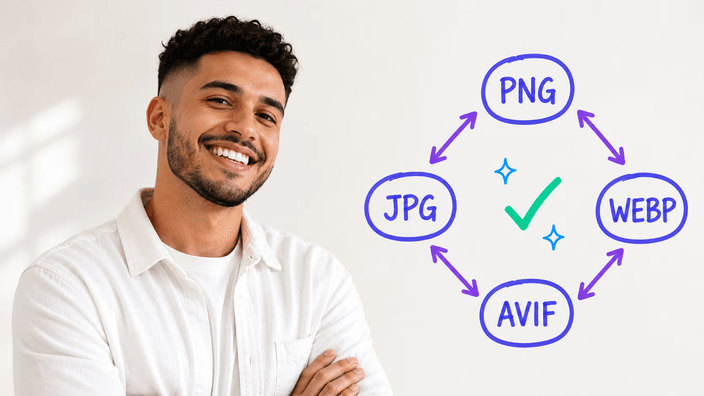
The converter covers the four formats that matter on the web today: PNG, JPG, WebP, and AVIF. PNG holds transparency and keeps every detail. JPG is the universal choice for photos. WebP and AVIF are the modern pair, usually much smaller at the same visual quality. You can also bring in a GIF, but only its first frame is used, and GIF is not offered as an output.

Does converting change quality?

Does converting change quality?

It depends on the target format. PNG is exact, so nothing is thrown away. JPG, WebP, and AVIF drop a little fine detail to shrink the file, and at the default setting most photos look identical. Going from a compressed format back to PNG makes the file bigger without bringing back anything already gone. If a transparent image becomes a JPG, the see-through parts fill with white.

Where does your image go?

Where does your image go?

One image at a time never leaves your machine. It is converted on your own machine, and nothing is sent anywhere. The moment you convert two or more together, the set is sent once to our server, because that path packs them into a single zip for you. Those files are processed and then removed automatically after about two hours, and you can clear them yourself right away. Each page states the path before you add anything.

When should you change a format?

When should you change a format?

Three reasons come up again and again. Compatibility: a site or app accepts only one format and you have another. Speed: switching to WebP or AVIF makes a page load faster because the file is lighter. Archiving: moving to PNG locks in an exact copy, though the file grows and any detail already lost stays lost. Match the target format to where your image is headed.

One image or many at once?

One image or many at once?

Both work. Drop a single file and it converts immediately on your machine. Drop a set and the batch runs on our server with a real progress count, not a fake bar, then comes back as one zip. The batch path is the only time your files are sent off your device, and they are deleted automatically a couple of hours after, or sooner if you remove them.

How it works

  1. Choose a format pair

    Scan the grid below and pick the conversion you need, from PNG, JPG, WebP, or AVIF into another of the four.

  2. Add your image

    On the page that opens, drop your file onto the zone or pick it from your device. Add several to run a batch.

  3. Let it convert

    A single image is converted on your machine in seconds. a batch is processed on our server and packed into a zip.

  4. Check the result

    Preview the converted image and confirm the format and the look match what you expected before saving.

  5. Download the file

    Save the converted image, or the zip for a batch, to your device. Batch files are cleared from our server automatically later.

Other tools to finish the job

Changing the format is one step. Make your file smaller without changing its type, trim the picture to what matters, or fit it to an exact size.

Frequently asked questions

Does converting an image reduce its quality?

PNG keeps every detail, so converting to PNG changes nothing. JPG, WebP, and AVIF give up a little detail to save space, and at the default quality the difference is hard to spot in a normal photo. Turning an already-compressed file into PNG grows the size without restoring anything that was dropped earlier.

Where do my images go when I convert them?

A single image converts on your own machine and stays on your machine. Converting several at once sends the set to our server, because that path zips them together, and those files are removed automatically about two hours later. Every page tells you which path it uses before you add a file.

Can I convert several images at once?

Yes. Drop two or more and the converter runs them as a batch on our server, shows a real progress count, and returns a single zip. A single file skips the server and converts on your machine instead. The choice is automatic, based on how many files you add.

What is the best image format for the web?

WebP and AVIF are the modern web formats, usually lighter than JPG at the same visible quality, and both work in current browsers. JPG stays the safe choice for the widest reach, PNG is for transparency or exact details, and AVIF squeezes the hardest, though it takes a little longer to produce.

Which image formats are supported?

You can convert between PNG, JPG, WebP, and AVIF, the four main web formats. GIF works as an input, but only its first frame is read, and GIF is not available as an output. Other formats such as HEIC, TIFF, BMP, and RAW are not handled yet.

Why would I change an image's format?

Usually for one of three reasons: a site or app accepts only a certain format, you want a lighter file so a page loads faster, or you need an exact archive copy. The format you pick should match where the image is going to be used next.

What is the difference between PNG, JPG, WebP, and AVIF?

PNG is exact and keeps transparency, which suits logos and graphics. JPG is the long-standing choice for photos. WebP and AVIF are newer and usually much lighter at the same look, with AVIF compressing the most. Each one trades file size against detail in its own way.

How do I convert an image online?

Pick the format pair you need from the grid, drop your image on the page that opens, and the converted file comes back to download. A single image is handled on your machine. a batch is packed into a zip on our server. You only choose the pair and add your file.

The details

Notes from the team on craft, formats, and the small decisions behind a good round crop.

The two paths your file can take
Behind the simple picker, a conversion runs one of two ways, and which one is chosen depends only on how many images you add. A single file is decoded and rewritten entirely on your own machine. It never travels, and the converted copy is built on your own machine, which is why one image comes back almost instantly. The moment you add a second file, the set takes the server path: the images are sent together so they can be processed and returned as one zip, which a browser cannot assemble efficiently for larger batches. Those uploaded files live only as long as the job needs them, then a scheduled cleanup removes them a couple of hours later, and a clear button lets you delete them the second you have your download. Each page names the path in one line before you commit a file, so the choice is never hidden from you.
The four web formats, and when each one wins
PNG, JPG, WebP, and AVIF each exist for a reason. PNG stores an exact, perfectly exact copy and keeps transparency, which makes it right for logos, screenshots, and anything with sharp edges, at the cost of a larger file. JPG has been the default for photographs for decades and is understood by everything, which is why it stays the safe choice when you do not control what opens your file. WebP and AVIF are the modern generation: both deliver the same visible quality in a noticeably smaller file, and both are supported across current browsers. AVIF compresses the hardest of the four, ideal for heavy hero images, though it takes longer to produce, especially on older phones. Choosing well is less about one best format and more about matching the format to the destination.
Why a focused converter beats one that claims hundreds of formats
Many converters advertise hundreds of supported formats. In practice the web runs on a handful, and a tool that spreads itself across exotic inputs rarely does any single conversion carefully. Araluma deliberately covers the four formats the modern web actually uses, plus GIF as an input, and puts the effort into doing each one correctly: keeping transparency where it belongs, being honest about the detail a compressed target gives up, and telling you exactly where your file goes. A shorter list also means each format pair gets its own dedicated page, with the specific trade-offs of that change spelled out, instead of one generic screen that treats every conversion the same. Focus, here, is a feature rather than a limit.